Robotics learning for schools, universities and makers
From first simulation to real-world robotics
Nexomech brings drone simulation, visual block coding, circuit design and AI-assisted robotics programming into a single learning environment — so students can learn, simulate, design, code and build with confidence.
- 4 learning modules
- 1,500+ schools
- No hardware needed
Platform tour· every module in under a minute
- Schools globally
- 1,500+
- Schools in India
- 400+
- Integrated learning modules
- 4
Program real boards with the Robotics Programmer
- Arduino Uno
- Arduino Nano
- ESP32
- ESP8266
- Raspberry Pi
- Raspberry Pi Pico
- Arduino C++
- MicroPython
- Python
Try it free · no sign-up
Open a Module Right Now
Start a free 5-minute session of Block Coding, Circuit Lab or the AI Robotics Programmer in your browser. You get 3 free sessions, and the clock pauses whenever you leave — then pick a plan to keep building.
Prefer a walkthrough? Book a free guided demo · See plans
One lesson, one outcome
See the learning move from screen to project.
- 01
Explore a concept
Start with a safe simulation, a visual coding task or a digital circuit workspace.
- 02
Create something real
Turn an idea into a flight practice, working program, circuit design or explained robotics code.
- 03
Carry it forward
Use the confidence built digitally as the foundation for a hands-on robotics project.
The Platform
Everything Students Need to Learn Robotics
Four integrated modules covering the complete robotics learning journey — from first simulation to real hardware.
Watch How It Works
See Every Module in Action
Circuits, block coding, drone flight and AI-assisted robotics programming — pick a module and watch a real project come together.
- 1Place an Arduino, a smoke sensor and a buzzer on the workspace.
- 2Wire the circuit and write the sketch that reads the sensor.
- 3Run the simulation and watch the alarm respond — before buying a single part.
Drone Simulation
Practice Before You Fly
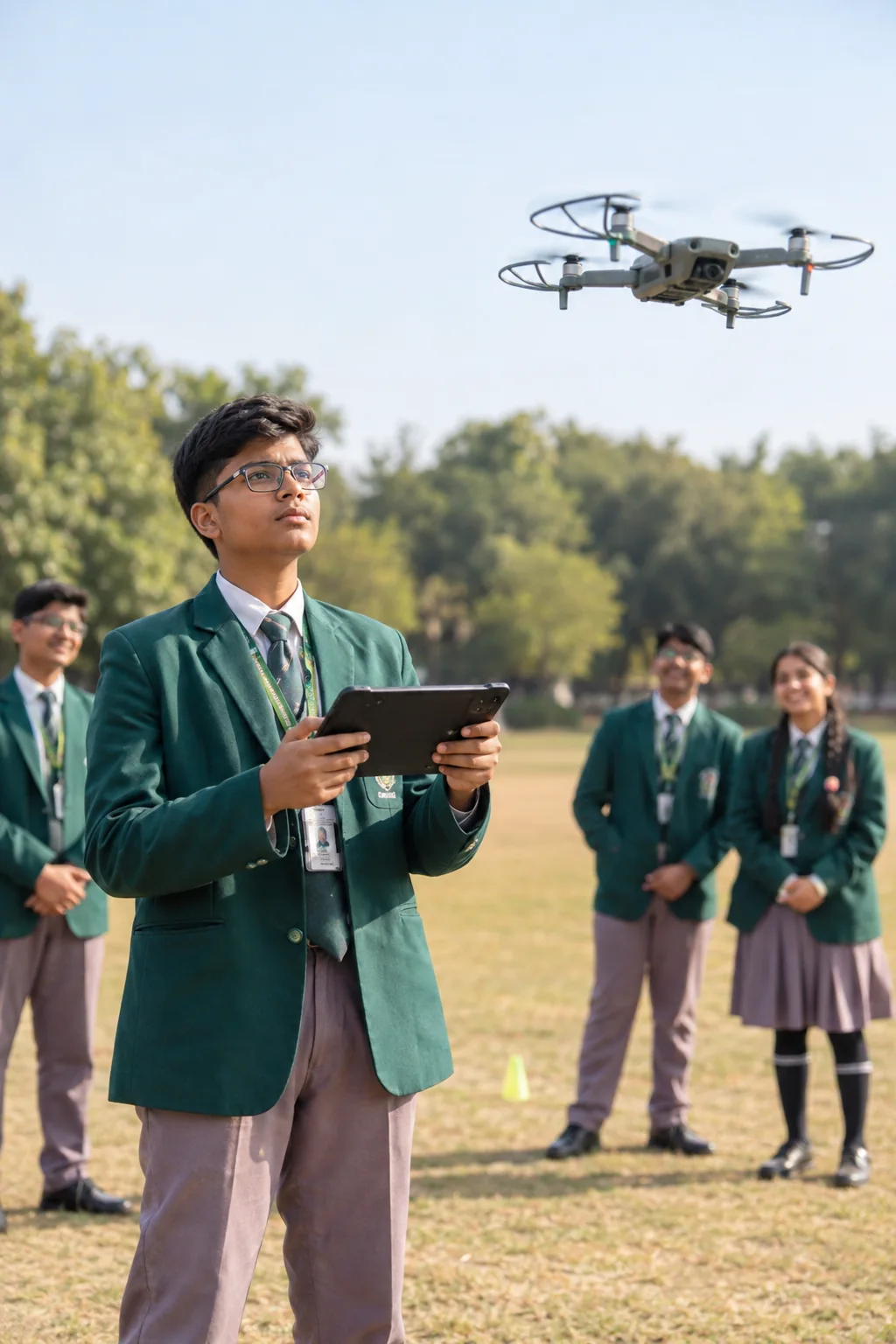
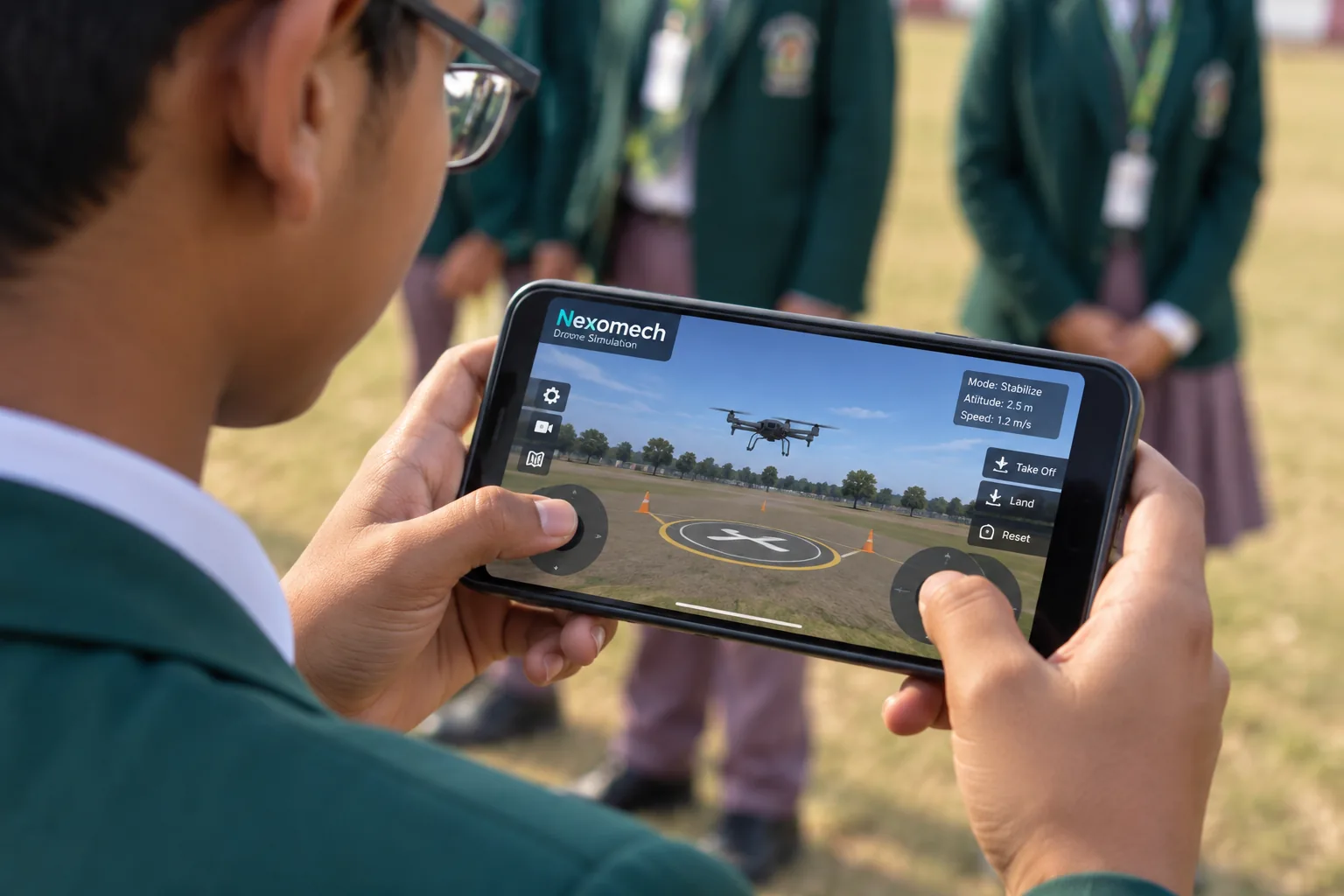
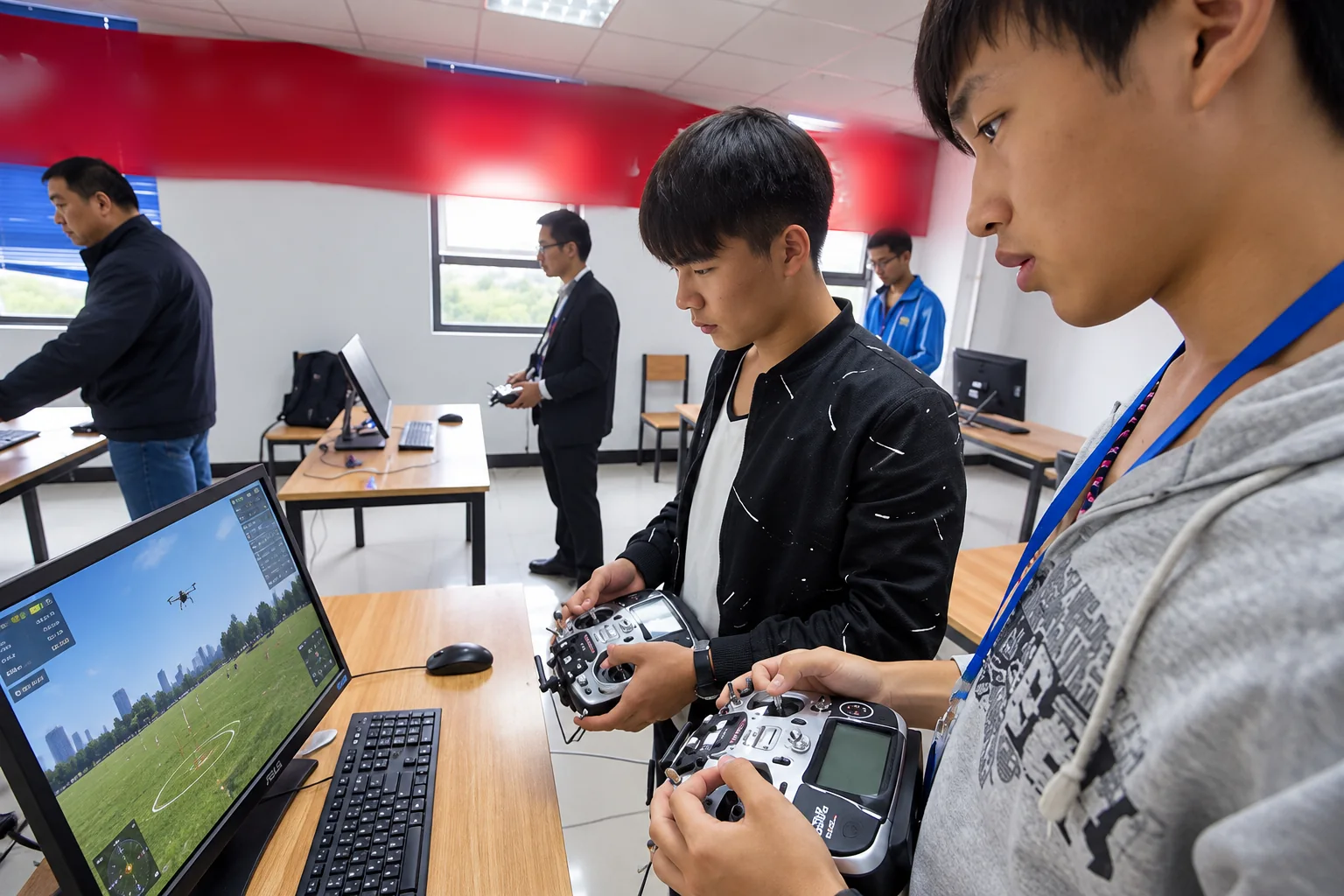
Practice flight control and drone concepts digitally before moving into physical training. Students learn drone operations in a safe, hands-on environment — on desktop or mobile.
- Interactive flight-control simulation
- Learn anywhere — desktop, tablet or phone
- Progress from digital practice to real flight training
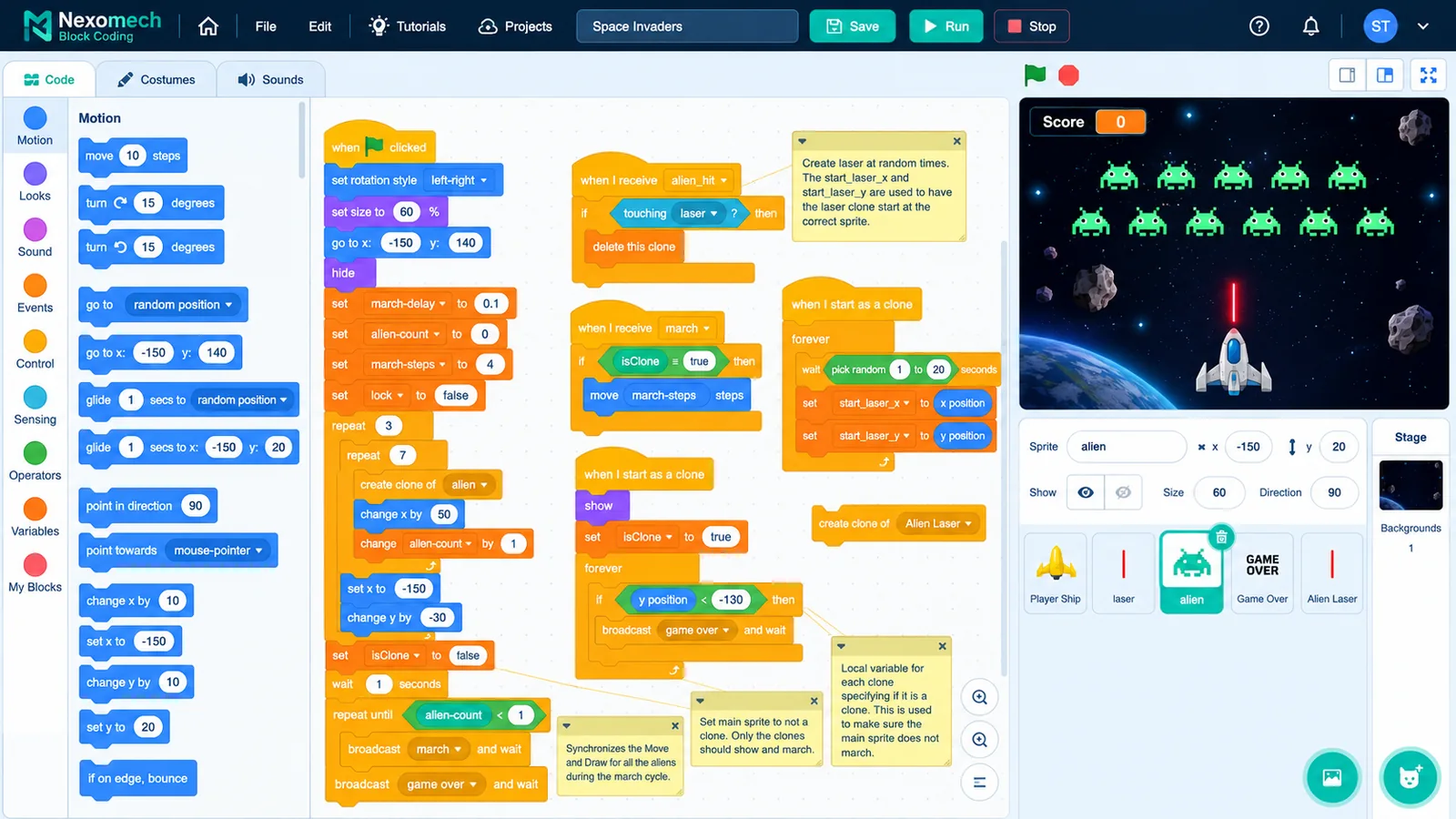
Block Coding
Build Logic Visually. Learn Programming by Doing.
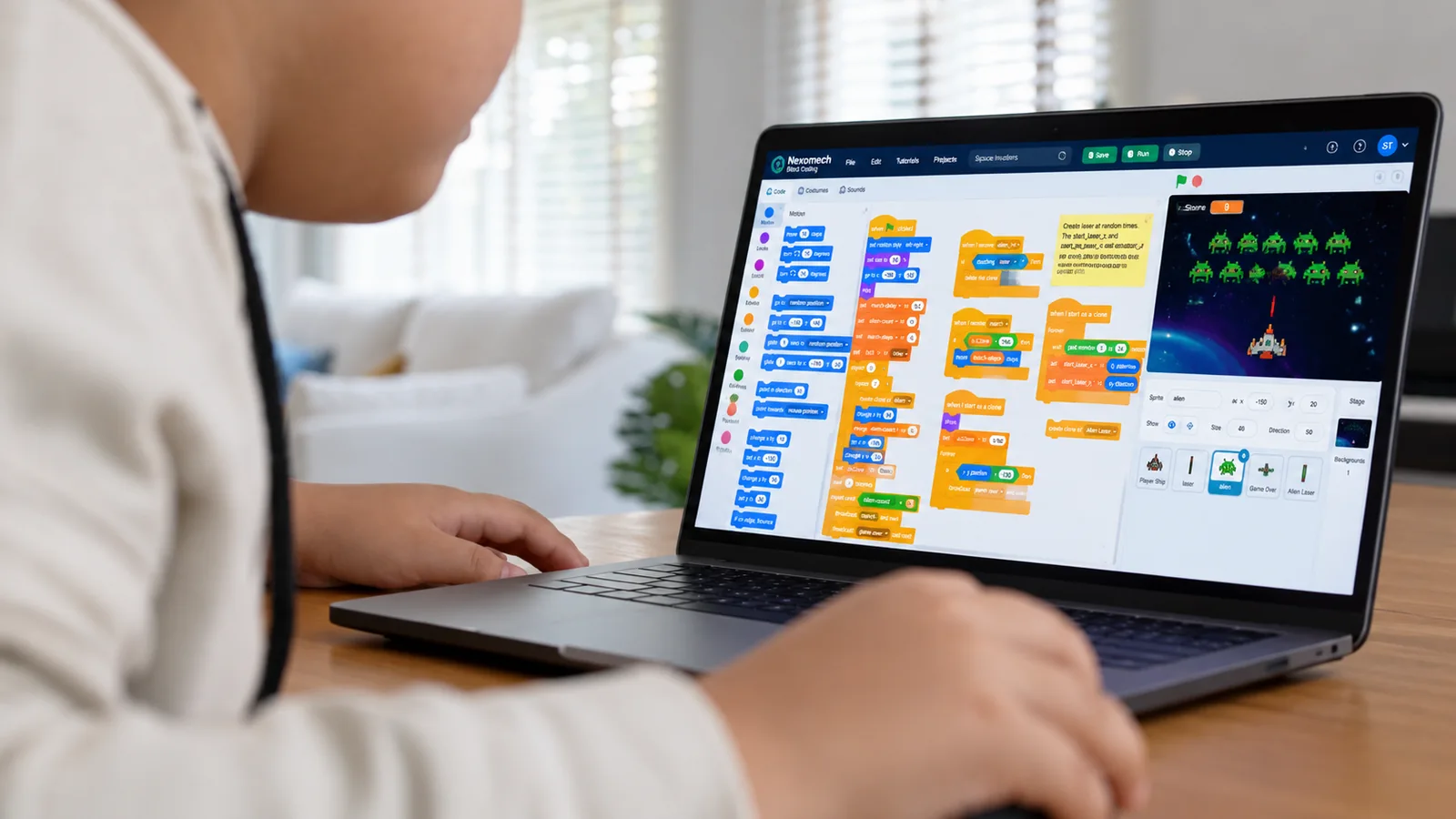
Learn programming logic visually with drag-and-drop coding. Students turn ideas into working programs — building real computational thinking along the way.
- Drag-and-drop visual programming
- From first block to working project
- A clear path toward text-based coding
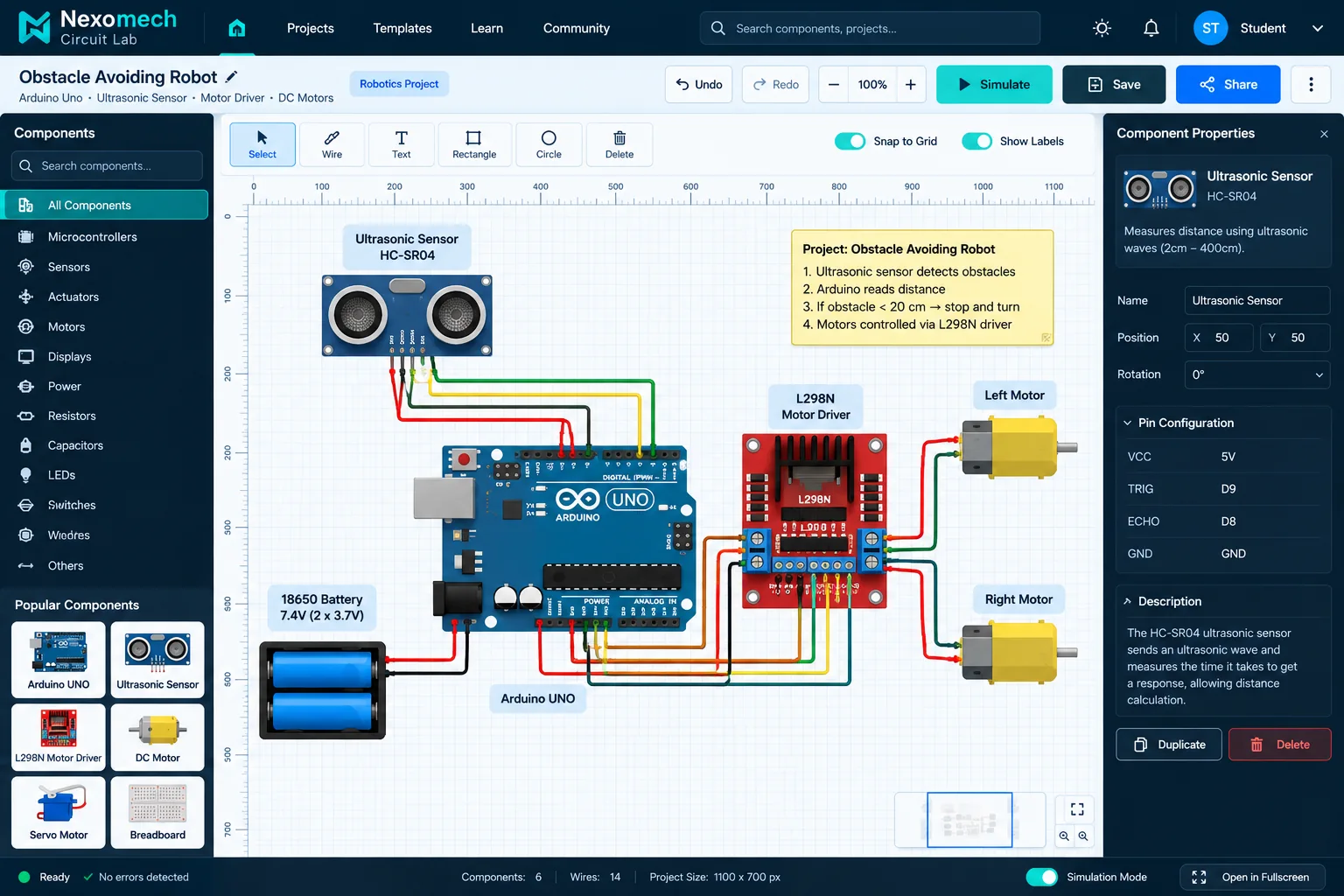
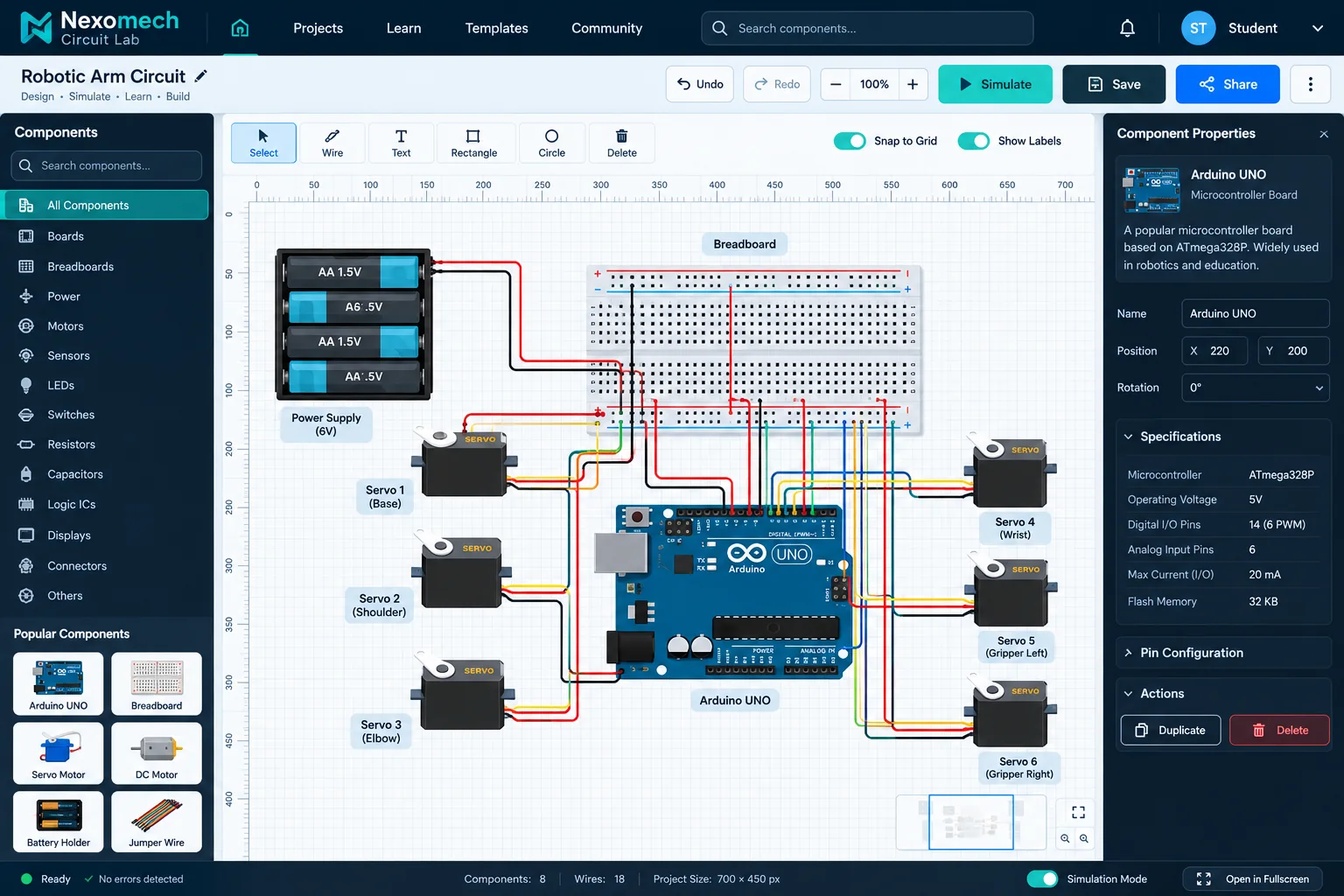
Circuit Lab
Design Before You Build
Design, connect, inspect and understand robotics circuits digitally. Students work with real wiring concepts — sensors, motors, drivers and power — before touching a breadboard.
- Digital circuit & wiring workspace
- Arduino-based projects and examples
- Understand connections before assembling hardware
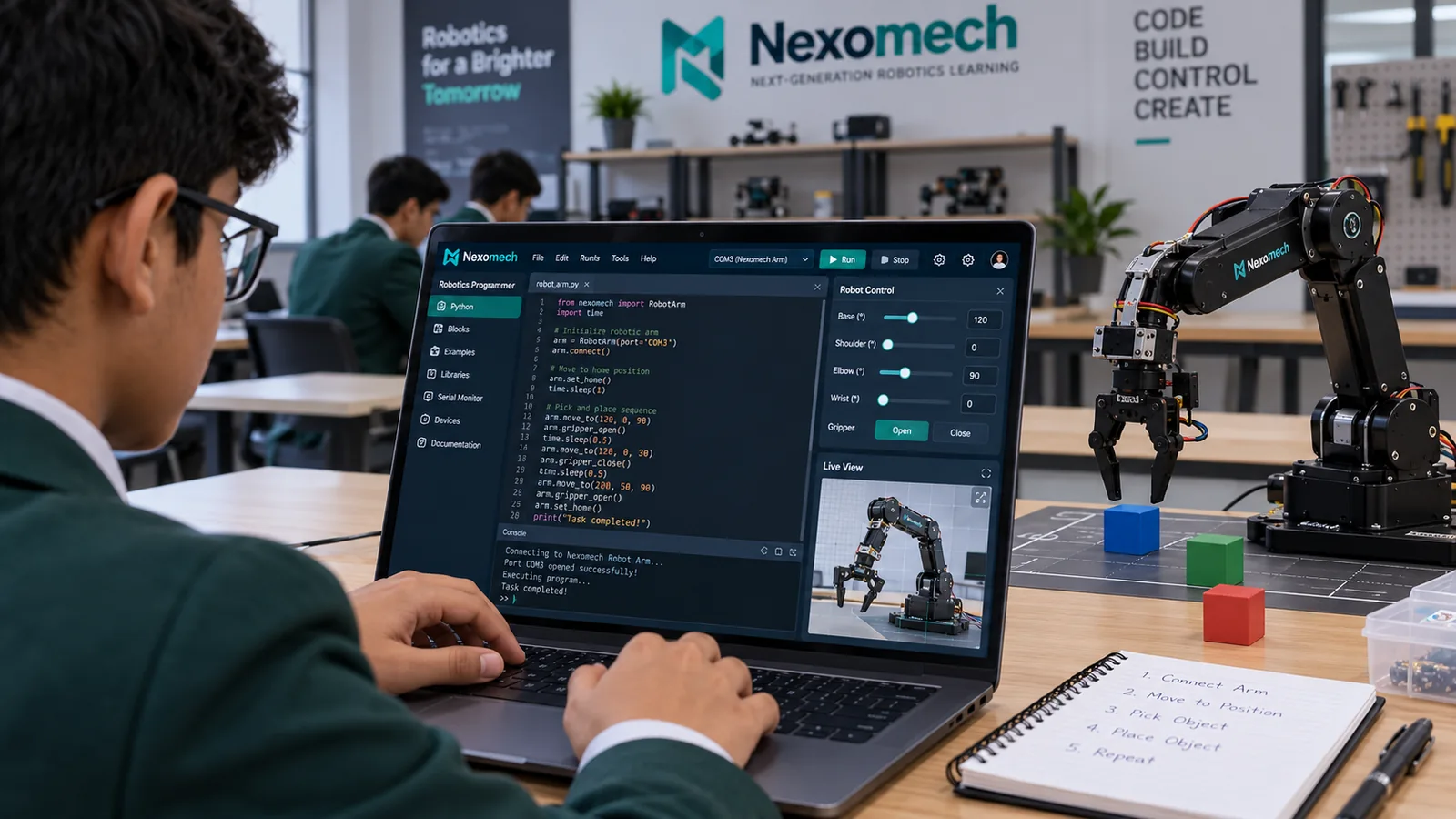
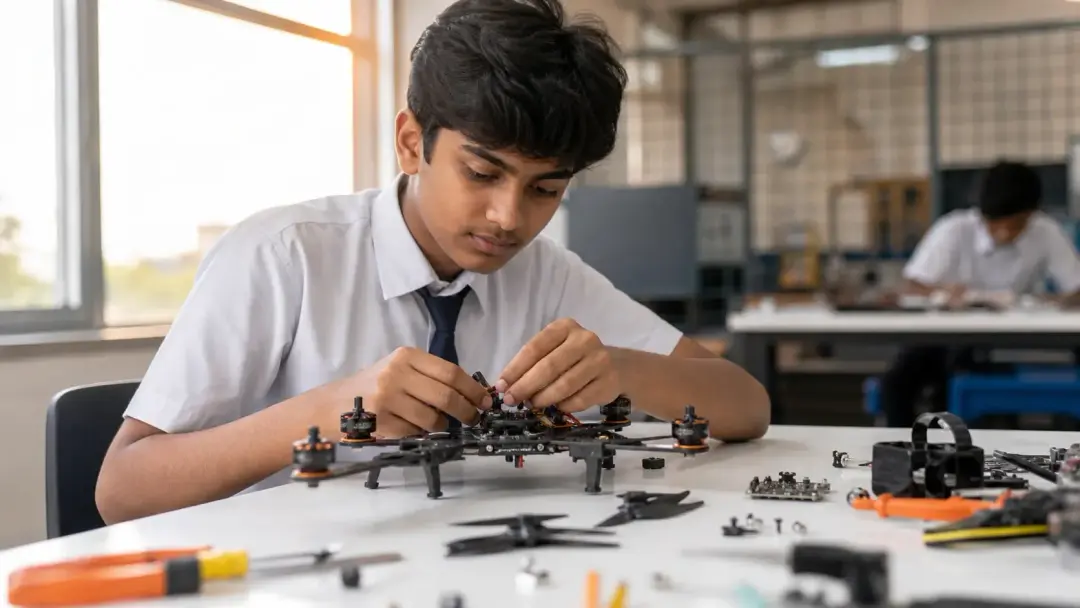
Robotics Programmer
From Code to Real Robot
Write robotics programs and bridge software with physical robotics systems. Describe what you want to build — the AI-assisted programmer generates real code for your microcontroller, explained step by step.
- Choose your microcontroller and language
- AI-generated, explained robotics code
- Wiring and pin guidance for real hardware
How It Works
A Complete Learning Journey, Not a Collection of Links
Learn → Simulate → Design → Code → Build → Control → Create. Every step happens inside one connected platform.
- 01
Choose a learning environment
Drone simulation, block coding, circuit lab or robotics programming — start where your students are.
- 02
Build, design and program
Create flight plans, drag visual blocks, wire digital circuits and write real robotics code.
- 03
Simulate and test
Validate ideas safely in digital environments before touching physical hardware.
- 04
Connect to real hardware
Take verified designs and programs to real drones, robots and microcontrollers.
For Schools & Universities
Built for Institutions
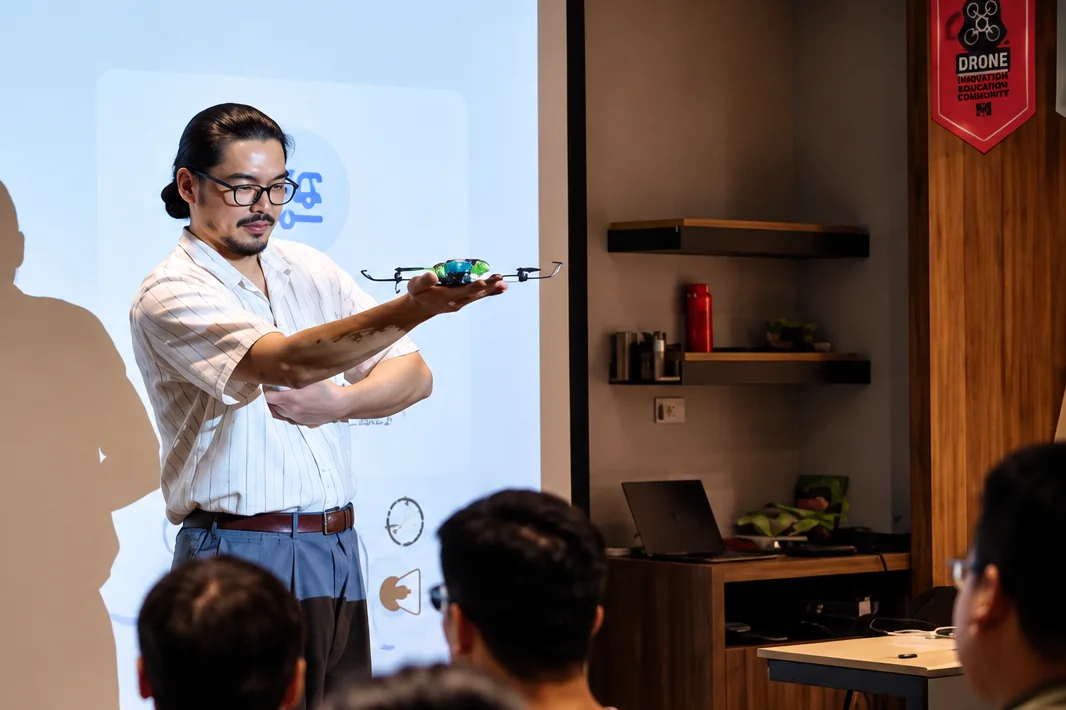
Give educators the tools to bring modern robotics into everyday learning — with the administration and oversight institutions need.
- Centralized administration
- Student accounts & seat management
- Teacher/admin roles
- Structured learning modules
- Usage monitoring
- Controlled, safe access
Why Nexomech
A Platform That Earns Its Place in the Classroom
Safer experimentation
Test flight paths, circuits and code digitally before any hardware is involved.
Faster learning
Visual tools and instant feedback shorten the path from concept to understanding.
Digital-first practice
Learn anywhere, on any device — the lab travels with the student.
Real-world connection
Every module maps to real drones, robots and microcontroller hardware.
Centralized administration
Institutions manage accounts, seats and access from one dashboard.
AI-assisted development
The Robotics Programmer generates real, explained code for real controllers.
Scalable for institutions
From a single classroom to a whole campus, the platform grows with you.
Getting Started
From Payment to Your First Sign-In
Your login reaches your inbox the moment you pay — no waiting for anyone. Here is exactly what happens when you buy a plan.
- 1
Pick your plan
Individual or Team, billed monthly or every 4 months.
- 2
Verify your email
A 6-digit code confirms the address your login and invoices go to.
- 3
Subscribe securely
Card, UPI Autopay or net banking through Razorpay. Individual plans renew automatically — cancel anytime.
- 4
Check your inbox
Your receipt with the invoice PDF, and a welcome email with your username and temporary password.
- 5
Sign in and make it yours
Choose your own username, confirm your email and set your password.
Pricing
Simple, Transparent Plans
Start with an individual account or bring your whole institution. Billed monthly or four-monthly — a longer term costs exactly longer, with no discount and no markup.
Individual
One learner, one account — the complete platform.
₹2,000 /month
+ 9% Platform Fee + 9% API Fee · ₹2,360/month in total
- All four learning modules
- AI Robotics Programmer — 100 generations / 2,000,000 tokens / 25 projects every month
- Monthly or four-monthly billing
- Renews automatically — cancel anytime
Team
5–7 seats with centralized administration.
₹1,500 /member/month
+ 9% Platform Fee + 9% API Fee · ₹1,770/member/month in total
- Admin panel, user & seat management
- Usage monitoring and activity tracking
- Invoices & billing for institutions
Bring Modern Robotics Into Your Classroom
See how Nexomech works for your school, university or personal learning — with a free guided demo.